KOI Keyboard
A Chinese keyboard built for Hong Kong
Cangjie, Quick, Stroke, Jyutping, Zhuyin — five input methods sharing one keyboard.
Handwriting runs on the device. The typing engine has no networking code at all.
Preparing for releaseKOI is being prepared for App Store review. A download link will replace this notice once it is live.
Watch it once
The finger leaves h and drags to a. It has to pass g, f and s on the way — the red keys are the ones you meant, the teal ones you merely crossed. KOI can tell the difference.
One stroke, one character
The Cangjie code for 香 is h, d, a — the radicals 竹, 木, 日. The usual way to enter it is three presses.
In KOI you drag from h to a in one stroke. The drag has to cross g, f and s on the way, and KOI knows those are not the radicals you meant. A finger that wanders still lands.
What follows is not a video. It is a working Cangjie input method running inside your browser. Tapping key by key works too, and on a laptop you can type on your own keyboard.
This demo needs JavaScript. The demo is the only scripted thing on the site, and it never contacts a server.
For reference: hqi gives 我, onf gives 你, hda gives 香, and etcu gives 港.
Strokes worth trying
hqi我onf你hda香etcu港nfwg鯉
Same as the app: glide decoding, down to the tolerance thresholds, neighbour substitution and turn detection; key layout, radicals, candidate order including the Cantonese weighting, space committing the first candidate, the five-code ceiling, and the number row that becomes the candidate row once you start composing.
Not in the demo: two-finger chorded entry, learning, the other four input methods, and the z wildcard. When a stroke decodes to nothing the app runs a second, best-first rescue search; the demo does not, so a meaningless stroke is told it has no reading rather than given an invented one. The dictionary is also cut down to 3,030 common characters rather than the 27,584 the app bundles.
Some people type Cangjie, some type Quick, some type Jyutping; anyone who grew up in Taiwan types Zhuyin. Moving between them usually means installing several keyboards and cycling through the system list.
One keyboard, five input methods
All five modes live inside KOI, and switching is instant. You never leave this keyboard.
- CangjieThe native key layout, with every keycap showing its English letter and its Cangjie radical together. Candidates are ordered by frequency, and the ones you pick often move towards the front.
- QuickFirst-and-last-code input, on the same key layout as Cangjie. There are no new key positions to learn.
- StrokeFive-key stroke input with
*as a wildcard — forget a stroke in the middle and a star still finds the character. - JyutpingFull and abbreviated spellings both work, and a tone number narrows the results. Outputs Hong Kong Traditional Chinese.
- Zhuyin (Dachen)A dedicated Zhuyin key layout that outputs Taiwan Traditional Chinese.
- EnglishThe same keystrokes are decoded into Chinese and English candidates at once, so typing English needs no keyboard switch.
Actual screens
Both of these are captures of KOI running. Neither is a mock-up.
Actual capture
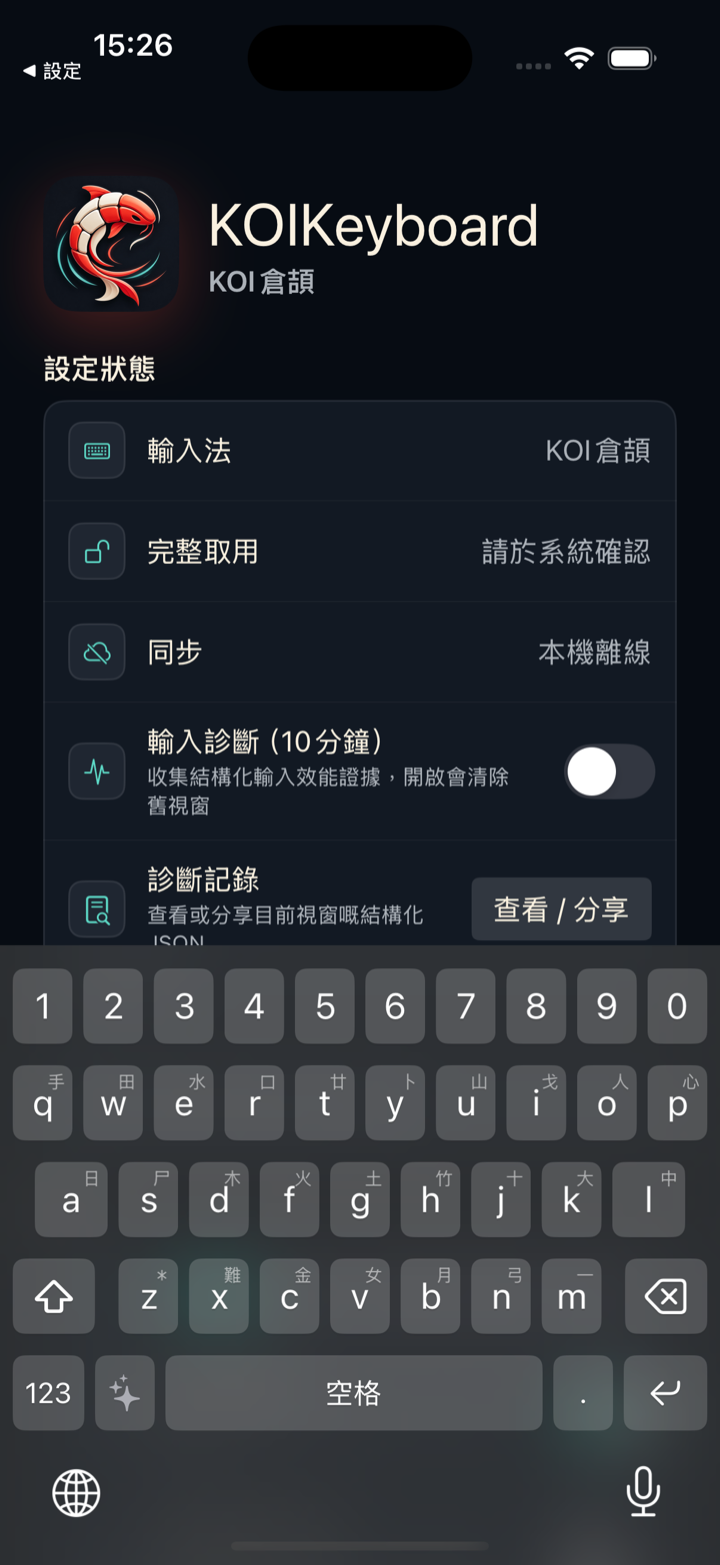
Actual capture
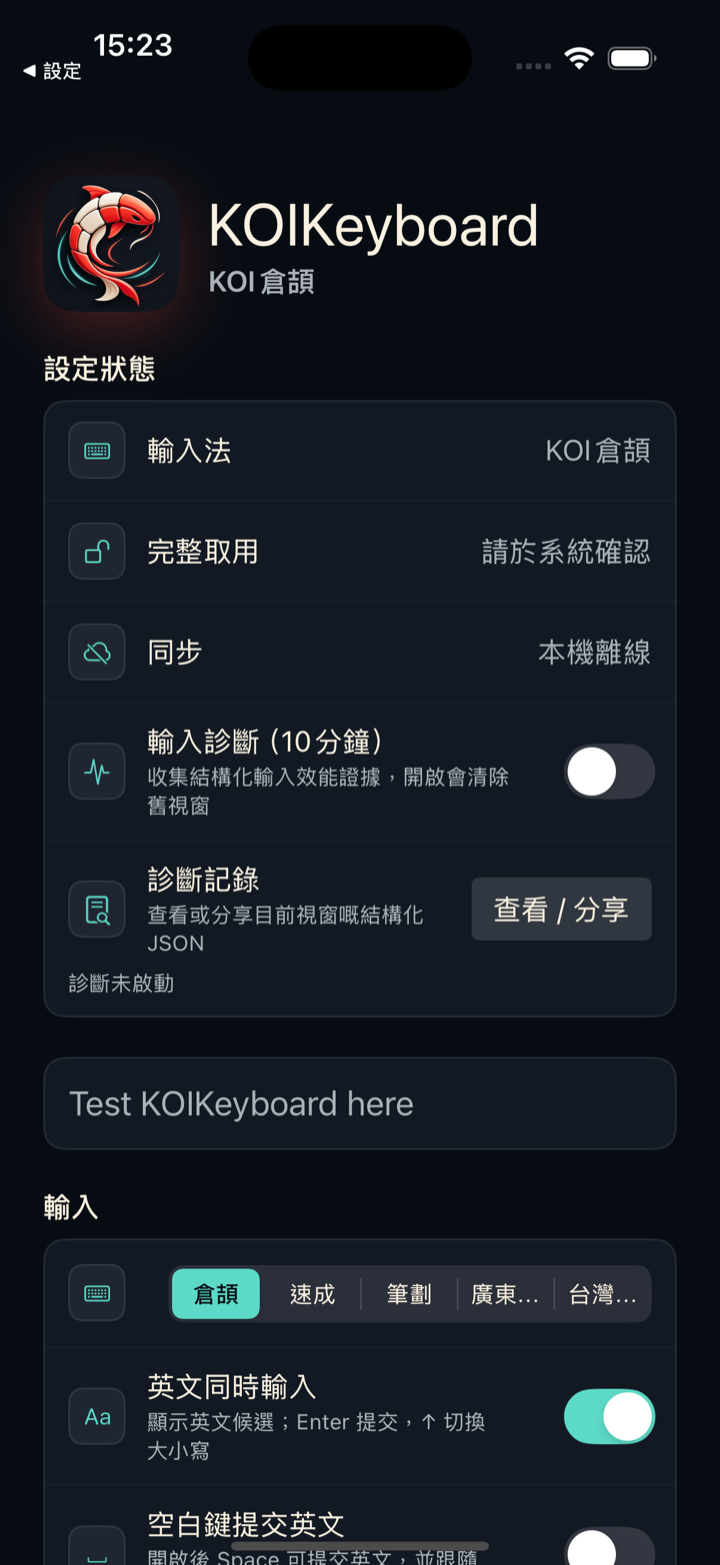
A finger dragged across six inches of glass does not land the same way twice.
It reads the stroke you meant
Tap, glide, mix the two, chord with two fingers — all four can be mixed inside a single composition. Change your mind halfway through and you do not have to clear it and start again.
- Glides that driftDecoding tolerates up to two keys being substituted by a neighbouring key. A finger that wanders slightly does not derail the input.
- Wrong codes still landWhen you decompose a character wrongly, KOI fills in candidates from near-miss codes and places them after the normal ones. The candidate row never goes blank.
- Delete and cursorOne press deletes the last code, two presses clear the whole composition; swipe left or right on the space bar to move the cursor.
When there is no signal
You are underground, the signal comes and goes, and the character you want is one you cannot decompose. The handwriting model is bundled inside the app — no download, no connection, nothing that waits on a signal.
KOI's handwriting area is rendered in Metal as a pool of water: your strokes leave ripples, refraction and waves. The panel below borrows the same ink: the colour under your finger here is the one the keyboard draws when you glide.
Write here with a finger or a mouse
Recognition is not in the browser — that model runs on the device — so what you get here is ink and water, and no characters. The app has a Hong Kong Traditional Chinese handwriting model built in: nothing to download, nothing to connect to, and it writes just as well in aeroplane mode.
A message comes in. You read it three times and still have no idea what to write back.
AI that turns up only when you ask
Nothing to copy, nowhere to jump to. Six modes, all handled on the keyboard — leave it closed and it is simply not there.
- AutoReads what you have in front of you and decides what to do.
- AskAsk directly, and insert the answer straight into the field.
- ReplyDraft a reply to the message you received.
- RewritePolish, change the tone, translate.
- Stickers and imagesGenerate a sticker with a transparent background, or a full scene image.
Credits are spent only when you ask for something; everyday typing, candidates and handwriting recognition never cost any. What each action costs is on the support page.
Watch it draft one
A message arrives, you pick Reply, the draft appears, and inserting it sends it. Want a sticker instead — pick Sticker, and it comes back on a transparent background, ready to drop into the conversation. Credits come off at the real rates: one for a reply, six for a sticker.
A keyboard is the one place every word you write has to pass through. Why would you trust one?
So the typing engine never goes online
KOI's input engine — candidate generation, code decomposition, learning history — contains no networking code at all. What you type does not leave your device.
- No analyticsNo analytics tools, no crash-reporting SDK, no advertising identifier.
- No keystroke loggingKOI does not record the keys you press.
- One exceptionYou open KOI Agent yourself and send a request. There is no other exception.
- Where data sitsLearning history and settings stay on the device, or in a private iCloud that you control.
The privacy policy sets each of these against the implementation, point by point.
You move to a new phone, and a year of learned habits stays behind on the old one.
Your habits come with you
Cross-device sync is one of the two things KOI Plus adds. The free version already includes all five input methods, handwriting, learning and every core typing feature; Plus adds predictive input and sync, along with a monthly allowance of Credits.
- Predictive inputAfter a character is committed, KOI offers the next word or a whole phrase, so there are fewer characters to decompose one by one.
- Cross-device syncSettings and learning history sync through your own private iCloud. Off by default, and once it is on you trigger it yourself.
The full subscription and Credit terms are in the terms of service; how Credits are counted is on the support page.
Installing the app does not put the keyboard on your screen — iOS does not let a third-party keyboard do that by itself.
Getting started
You add the keyboard in iOS Settings, once. KOI needs iOS 16.0 or later.
- Full AccessNeeded for AI, clipboard paste, handwriting-model updates, and shared image-library archiving. Without it, all five input methods, candidates, learning and handwriting keep working.
- Character coverageCandidates cover the Han characters in the Basic Multilingual Plane (BMP).
- Interface languageThe app interface is in Traditional Chinese (Hong Kong).
Setup steps, common questions and troubleshooting are on the support page.